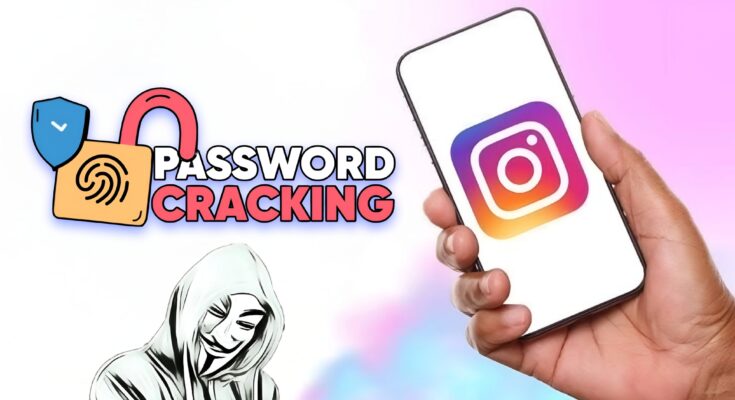
Find Instagram ID Password – Is It Possible? Safe Ways to Recover Your Account
In today’s digital world, Instagram has become one of the most popular social media platforms. Millions of people use Instagram every day to share photos, videos, reels, and connect with friends. But many users face a common problem — forgetting their Instagram ID password.
If you are searching for “Find Instagram ID Password”, you are probably trying to regain access to your account. In this guide, we will explain how to safely recover your Instagram password, official recovery methods, and tips to protect your account from hackers.
⚠️ Important: For security reasons, it is not possible to see or find someone else’s Instagram password. However, you can recover your own password using official recovery tools.
Table of Contents
- What Is an Instagram ID Password
- Can You Find an Instagram Password?
- How to Recover Instagram Password (Step-by-Step)
- Reset Instagram Password Using Email
- Reset Instagram Password Using Phone Number
- Recover Instagram Account Without Email or Phone
- How to Check Saved Instagram Password on Mobile
- Instagram Account Hacked – What To Do
- Tips to Create a Strong Instagram Password
- Frequently Asked Questions
What Is an Instagram ID Password?
An Instagram ID password is a secret combination of letters, numbers, and symbols used to log into your account on Instagram.
Your login details usually include:
- Username or email address
- Password
These credentials help keep your account secure and prevent unauthorized access.
If you forget your password, you cannot log in until you reset or recover it.
Can You Find an Instagram Password?
Many websites claim they can find or reveal Instagram passwords, but in reality this is not possible due to Instagram’s strong security system.
The platform uses advanced encryption technology, meaning:
✔ Passwords are hidden
✔ Even Instagram employees cannot see them
✔ Only the user can reset the password
So if you forgot your password, the only safe solution is password recovery.
How to Recover Instagram Password (Step-by-Step)
If you forgot your password, follow these steps:
Step 1
Open the Instagram app or visit the official website.
Step 2
Tap Forgot Password?
Step 3
Enter one of the following:
- Username
- Email address
- Phone number
Step 4
Click Send Login Link
Step 5
Check your email or SMS.
Step 6
Click the reset link and create a new password.
After this process, you can log in to your Instagram account again.
Reset Instagram Password Using Email
If your Instagram account is connected to your email address, recovery is very easy.
Steps
- Open the Instagram login page
- Click Forgot Password
- Enter your registered email address
- Tap Send Login Link
- Open your email inbox
- Click the password reset link
- Create a new password
Once completed, your password will be updated instantly.
Reset Instagram Password Using Phone Number
You can also recover your password using your phone number.
Steps
- Open Instagram
- Tap Forgot Password
- Enter your mobile number
- Receive the OTP verification code
- Enter the OTP
- Create a new password
This is one of the fastest recovery methods.
Recover Instagram Account Without Email or Phone
Sometimes users lose access to both their email and phone number. In that case, you can still recover your account.
Method
- Open the Instagram login page
- Tap Forgot Password
- Select Need more help?
- Follow the identity verification process
Instagram may ask you to:
- Upload a selfie video
- Verify your identity
- Confirm account ownership
After verification, Instagram will help restore your account.
How to Check Saved Instagram Password on Android
If you previously saved your password on your phone, you can check it using Google Password Manager.
Steps
- Open Google Chrome
- Go to Settings
- Tap Passwords
- Search for Instagram
You may see your saved login details if they were stored earlier.
How to Check Saved Password on iPhone
For iPhone users, passwords are saved in Apple Keychain.
Steps:
- Open Settings
- Tap Passwords
- Search for Instagram
- Authenticate with Face ID or Touch ID
Your saved password will appear.
Instagram Account Hacked – What To Do
If you think someone hacked your account, act immediately.
Step 1
Open Instagram
Step 2
Go to Forgot Password
Step 3
Reset your password immediately
Step 4
Enable Two-Factor Authentication
Step 5
Check login activity and remove unknown devices.
This will protect your account from further attacks.
Tips to Create a Strong Instagram Password
A strong password helps keep your account secure.
Follow these tips
✔ Use at least 12 characters
✔ Include uppercase and lowercase letters
✔ Add numbers and symbols
✔ Avoid using your name or birthdate
✔ Change your password regularly
Example strong password:
Insta@Secure2026#
Enable Two-Factor Authentication
Two-Factor Authentication (2FA) adds extra security.
When enabled, you must enter:
- Your password
- A verification code
This prevents hackers from accessing your account even if they know your password.
Enable it inside Instagram Security Settings.
Common Reasons People Forget Instagram Password
Here are some common reasons:
- Using multiple social media accounts
- Not saving passwords
- Changing passwords frequently
- Device reset or app reinstall
Using a password manager can help prevent this issue.
Frequently Asked Questions
Can I see my Instagram password?
No. For security reasons, Instagram does not allow users to see their password. You can only reset it.
Can someone hack my Instagram password?
It is very difficult if you use:
- Strong password
- Two-Factor Authentication
- Secure email account
Is there an app to find Instagram passwords?
No legitimate app can reveal Instagram passwords. Any app claiming this is likely fake or dangerous.
How long does Instagram password recovery take?
Usually 1–5 minutes if you have access to your email or phone number.
Final Words
Searching for “Find Instagram ID Password” is common when users forget their login details. However, due to strong security policies on Instagram , it is not possible to view or hack passwords.
The safest way to access your account again is by using the official password recovery method with your email or phone number.
Always remember to:
- Use a strong password
- Enable two-factor authentication
- Keep your email secure
By following these steps, you can recover your Instagram account quickly and keep it protected from hackers.