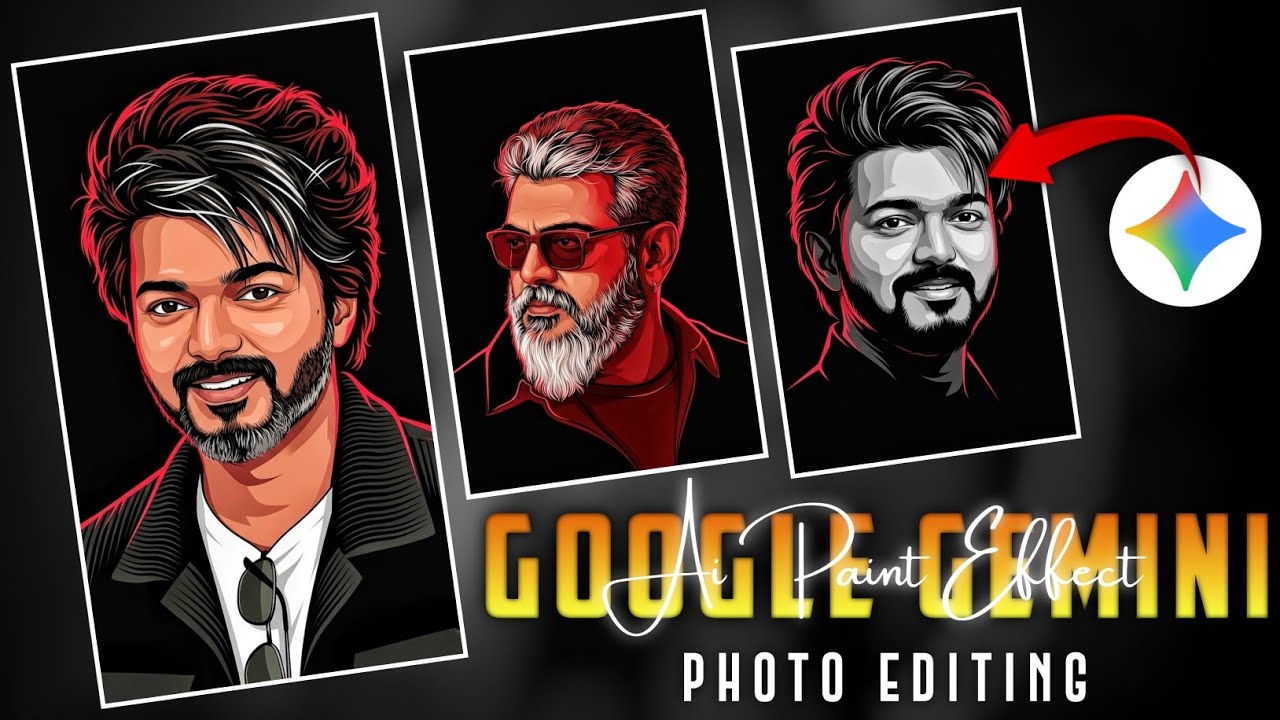
How to Edit Viral Instagram Photos Like a Pro (Complete Guide 2026)
Instagram is one of the most powerful platforms for creators, influencers, and businesses. But posting a photo alone is not enough anymore. The photos that go viral on Instagram are carefully edited to look professional, eye-catching, and aesthetic.
If you want your posts to gain more likes, shares, followers, and reach, learning how to edit photos like a professional is essential. In this complete guide, you will learn how to edit viral Instagram photos like a pro, the best apps, secret editing techniques, and pro tips used by influencers.
Why Photo Editing Is Important for Instagram Growth
Instagram is a visual platform, which means the quality of your photos directly affects engagement.
Well-edited photos help you:
- Increase Instagram reach
- Gain more likes and followers
- Make your profile look professional
- Improve chances of going viral
- Attract brand collaborations
Most viral Instagram pages use advanced editing techniques to create stunning photos.
Best Apps to Edit Viral Instagram Photos
Before learning editing techniques, you need the right tools. These apps are widely used by influencers and photographers.
1. Snapseed
One of the best free photo editing apps available.
Features:
- Professional color correction
- Selective editing
- HDR effects
- Healing tool
- Advanced filters
Perfect for beginners and professionals.
2. Lightroom Mobile
Lightroom is the most powerful editing app used by influencers.
Features:
- Advanced color grading
- Professional presets
- Light and shadow control
- RAW photo editing
Lightroom presets can instantly transform your photos.
3. VSCO
VSCO is famous for its aesthetic filters and cinematic tones.
Features:
- Film-style filters
- Vintage effects
- Soft color grading
- Minimalist editing
Great for lifestyle and aesthetic Instagram pages.
4. PicsArt
PicsArt is ideal for creative edits and viral effects.
Features:
- AI background removal
- Stickers and effects
- Photo manipulation
- Trendy editing tools
Step-by-Step Guide to Edit Viral Instagram Photos
Now let’s learn the exact editing workflow used by viral creators.
Step 1: Adjust Brightness and Exposure
Start by adjusting the brightness.
Recommended settings:
- Exposure: +10 to +20
- Contrast: +5 to +15
- Highlights: -20
- Shadows: +20
This makes your photo balanced and professional.
Step 2: Improve Colors (Color Grading)
Color grading is what makes photos look viral and aesthetic.
Adjust these settings:
- Saturation: +10
- Vibrance: +15
- Temperature: Slightly warm
- Tint: Small magenta boost
These adjustments make the photo look rich and attractive.
Step 3: Use the Sharpen Tool
Sharpening improves photo clarity.
Recommended settings:
- Sharpen: +20
- Structure: +10
This makes details stand out, especially in portraits and landscapes.
Step 4: Apply Selective Editing
Selective editing allows you to enhance specific parts of the photo.
For example:
- Brighten the face
- Increase color of the background
- Highlight important objects
This technique makes your photo look professionally edited.
Step 5: Add Professional Presets
Presets are ready-made editing filters used by influencers.
Benefits of presets:
- Save editing time
- Maintain consistent feed
- Give photos a professional look
Many creators use Lightroom presets to achieve viral aesthetics.
Viral Instagram Photo Editing Styles
Different styles perform well on Instagram. Choosing the right style increases engagement.
1. Bright & Airy Style
Popular with influencers and lifestyle creators.
Features:
- Bright whites
- Soft colors
- Clean look
Best for:
- Travel
- Fashion
- Lifestyle photos
2. Dark Moody Style
A dramatic style used by photographers.
Features:
- Dark shadows
- Deep colors
- Cinematic mood
Best for:
- Street photography
- Portraits
- Artistic photos
3. Minimal Aesthetic Style
Minimal editing creates a clean Instagram feed.
Features:
- Neutral colors
- Simple backgrounds
- Balanced exposure
Best for:
- Personal brands
- Professional creators
Pro Instagram Editing Tricks Influencers Use
Here are some secret tricks used by viral Instagram creators.
1. The Golden Hour Trick
Photos taken during sunrise or sunset naturally look beautiful.
Golden hour provides:
- Soft lighting
- Warm colors
- Natural glow
This reduces the need for heavy editing.
2. Use the Rule of Thirds
Professional photos follow the rule of thirds.
Divide your photo into 3 equal sections and place the subject at the intersection points.
This improves photo composition instantly.
3. Maintain a Consistent Theme
Top Instagram pages maintain a consistent color theme.
Examples:
- Warm tone feed
- Vintage aesthetic
- Dark cinematic theme
Consistency makes your profile look professional and attractive.
Best Export Settings for Instagram Photos
Many people edit photos well but upload them incorrectly.
Use these settings for best quality:
- Resolution: 1080 x 1350
- Format: JPG
- Quality: High
- Aspect ratio: 4:5
These settings ensure Instagram does not compress your photos too much.
Common Photo Editing Mistakes to Avoid
Avoid these mistakes if you want viral photos.
Over Saturation
Too much color makes photos look fake.
Too Much Sharpening
Excess sharpening creates noise and grain.
Heavy Filters
Using strong filters can ruin natural beauty.
Low Resolution Images
Always upload high-resolution images.
How Influencers Make Instagram Photos Go Viral
Editing is only one part of the strategy.
To increase viral chances:
- Post high quality images
- Write engaging captions
- Use trending hashtags
- Post at best engagement times
- Maintain consistent content style
Consistency and quality are key to Instagram growth.
Prompt:
Create a 3:4 vertical ultra-clean vector portrait based strictly on the provided reference image.
The final artwork must preserve the subject’ s facial identity with
absolute accuracy. Keep facial features 100 percent identical to the original reference image. Do not modify facial structure, proportions, skin tone, bone structure, eye spacing, nose shape, Lip shape, jawline, hairline, beard density, or
any defining characteristics. Style transformation only. No identity alteration. Convert the portrait into a high-contrast neo-noir vector
illustration with the following specifications:
COMPOSITION Tight
head-and-upper-neck crop Slightly angled face orientation
preserved exactly as reference Strong cinematic framing Large negative space around the subject Centered
or slightly off-center placement BACKGROUND Pure solid black (#000000) No texture, no gradients, no noise LIGHTING Dramatic single -direction rim Lighting Dominant red/crimson edge Lighting from one side Deep black shadows
Final Thoughts
Learning how to edit viral Instagram photos like a pro can dramatically improve your social media presence. By using the right apps, applying professional editing techniques, and maintaining a consistent style, you can create photos that attract attention and engagement.
Remember that the most successful Instagram creators focus on quality, creativity, and consistency. With practice and the right editing tools, anyone can create stunning photos that stand out and even go viral.
Start experimenting with editing apps, apply the tips from this guide, and watch your Instagram profile transform into a professional and viral-ready page.